Lead Distribution is the process that automatically routes new leads to the correct organization based on ownership of a ZIP or postal code.
Within your brand, you’ll assign which postal codes belong to each franchise location. When a new lead is captured—such as through a web form using an API key—ServiceMinder checks the postal code and sends the lead to the matching organization.
- If no match is found, the lead is placed in the organization that owns the API key (often referred to as the “parking lot” organization).
- From there, you can manually dispatch the lead to the nearest location or contact the lead directly if there’s no franchise in their area.
In addition to postal code matching, ServiceMinder can also distribute leads based on LocationID (assigned to each organization) or TerritoryID (assigned to accounting classes).
Lead distribution follows this order of priority:
- LocationID (if present)
- TerritoryID (if present)
- Postal Code
Lead Distribution Notifications
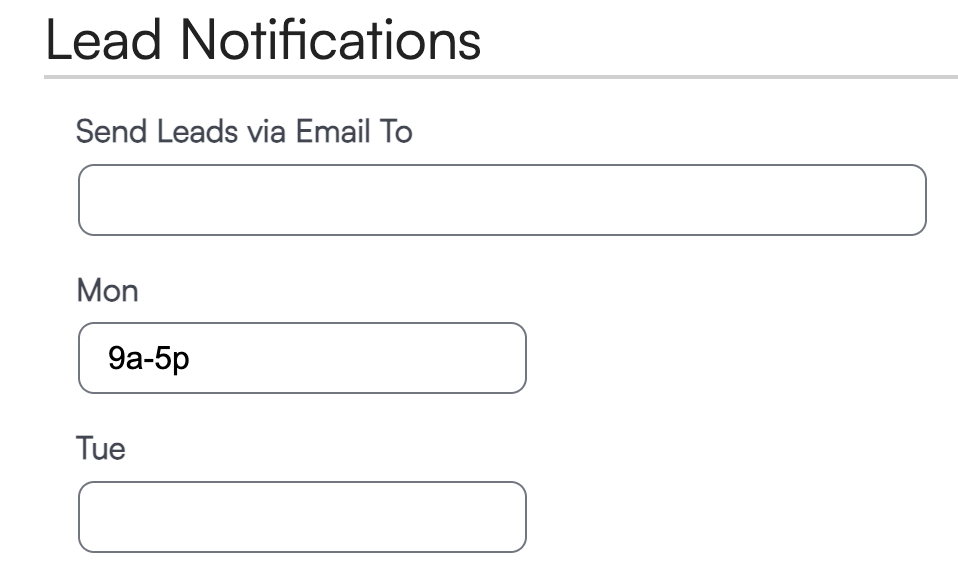
You can configure Lead Distribution Notifications by day and time to control when leads are forwarded.
Go to Control Panel > Notifications to designate a recipient email address and to set time ranges for each day of the week:
- Enter a range like
8a-8pto forward leads only during those hours. - Add an exclamation point (e.g.,
!9a-5p) to forward leads outside normal business hours. - Use
12a-12ato prevent forwarding for the entire day. - Leave a day blank to forward leads normally with no time restrictions.